Transform Your Fitness
Business with
Run classes, programs, memberships, clients, promo codes, payments, and AI-assisted training from one workspace.
PRODUCT WORKSPACE
Built around the screens trainers use every day
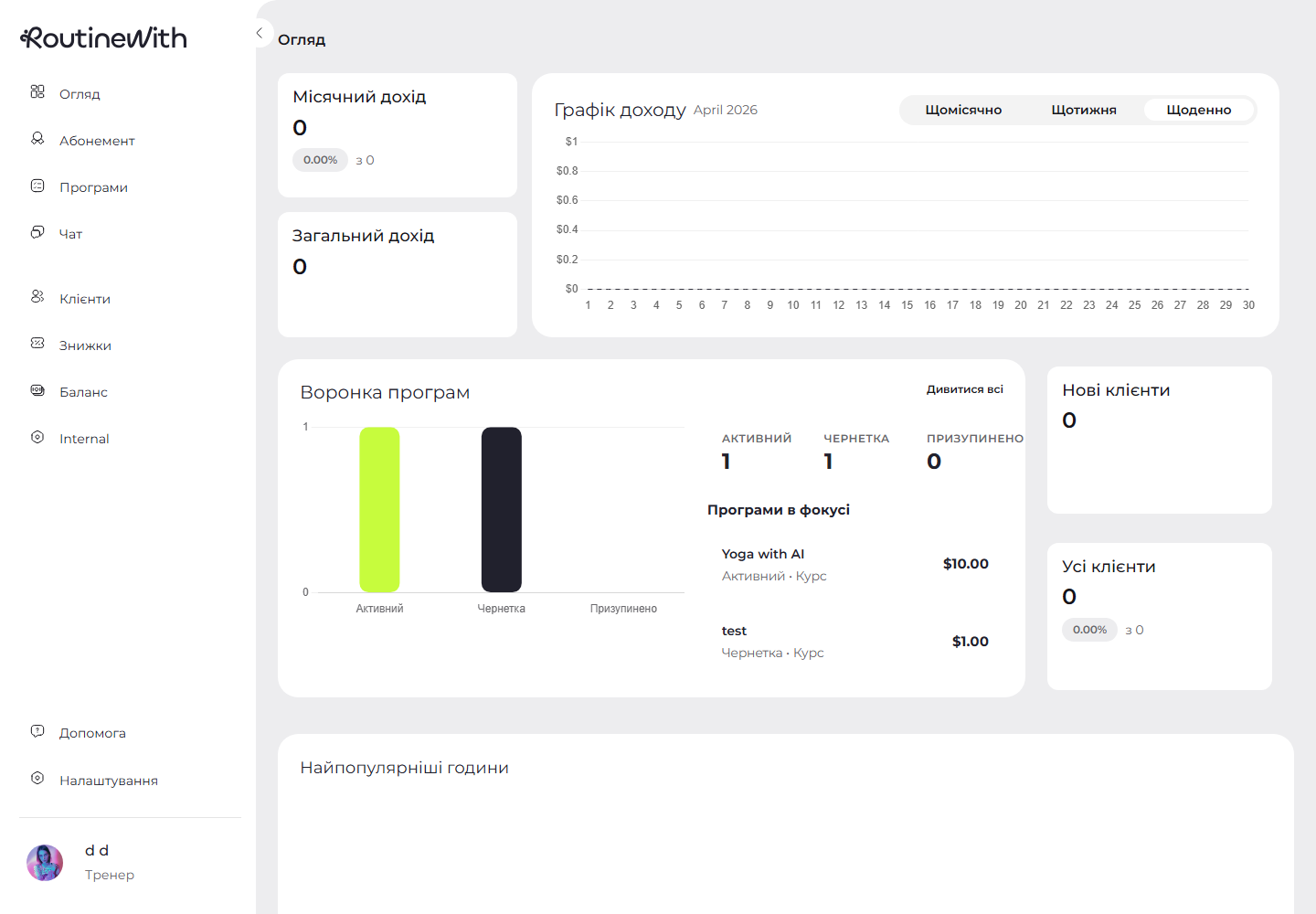
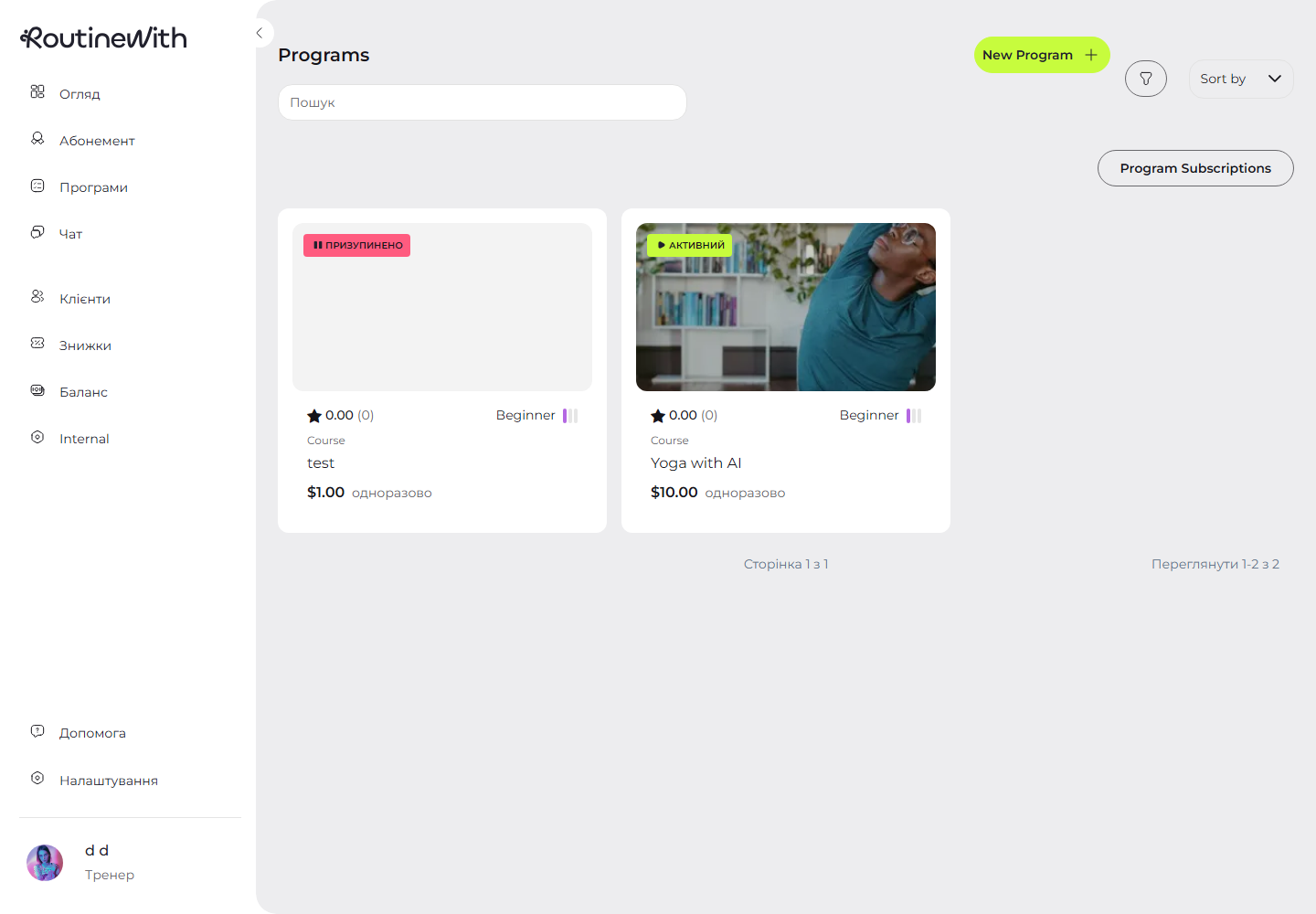
RoutineWith brings the daily trainer workflow into one MVP: an overview dashboard, weekly class scheduler, program library, membership management, client CRM, discounts, balance tracking, chat, and settings.
WHAT THE MVP COVERS
Key Product Benefits
Manage Classes Faster
Use the weekly scheduler to create, move, postpone, cancel, share, and start online classes without jumping between calendars and spreadsheets.
Sell Programs and Memberships
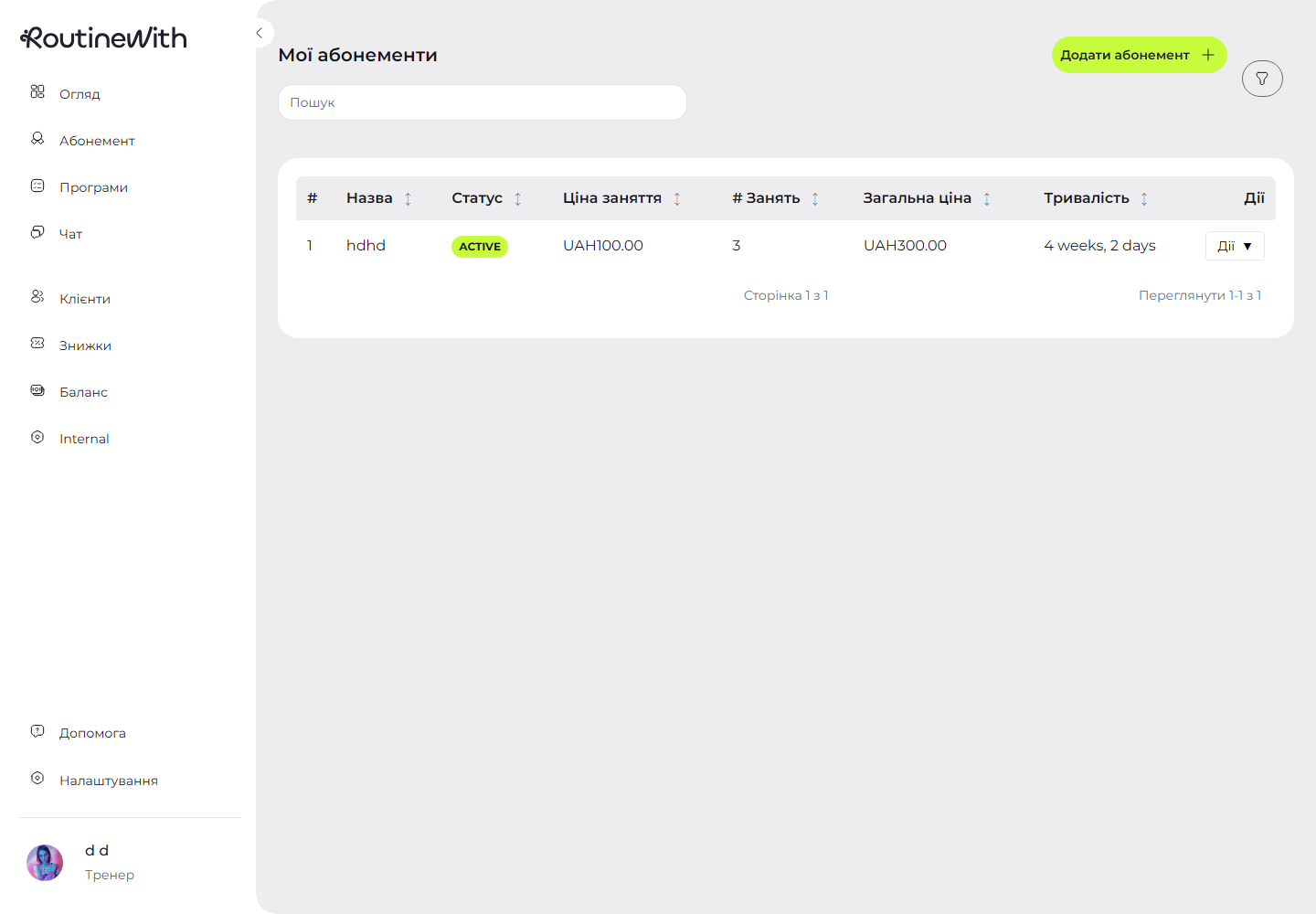
Create programs, organize video content, assign subscriptions, and manage memberships with pricing, duration, class counts, and active or frozen statuses.
Keep Client Data Close
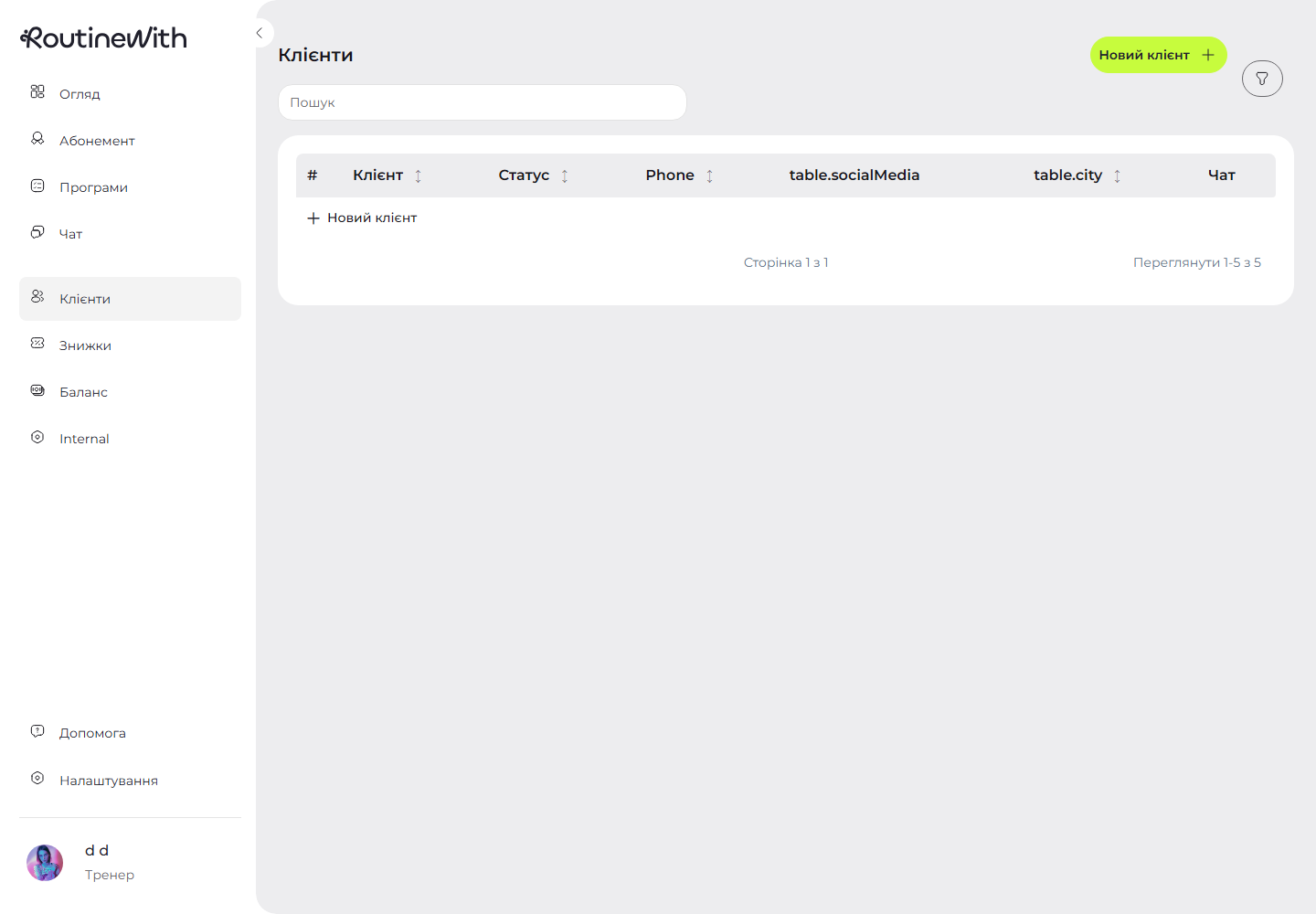
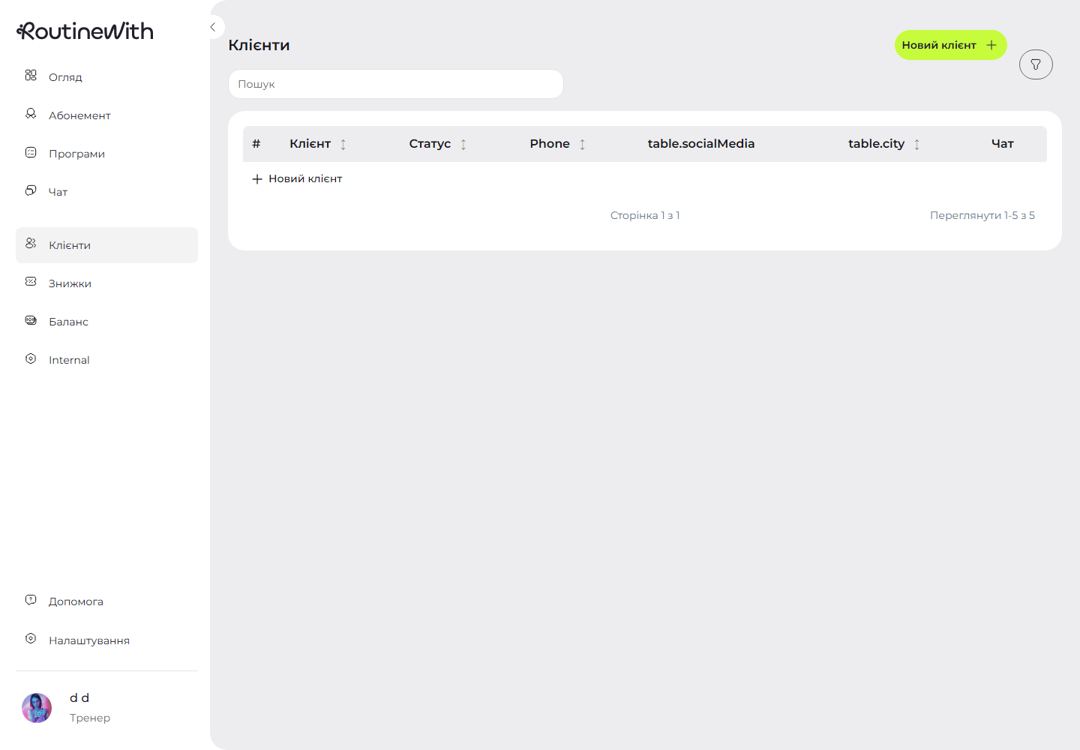
Track client profiles, status, phone, social links, city, invitations, and chat access from the Clients screen so follow-up stays connected to the work.
Use AI Training Feedback
Program video analysis and online session tools support AI setup, training feedback, scoring, and follow-up reports for client progress.
PRODUCT FEEDBACK
What Coaches Notice
Oksana
Coach entrepreneur, works with changes in movement patterns (dynamic neuro-muscular stabilization)
RoutineWith gives trainers the screens they need to manage classes, clients, and programs in one place.
Oleksandra
Yoga Instructor
I like the simplicity of the product. The AI training flow can be useful for online programs and client feedback.
Stasia
Yoga Instructor & Wellness Coach
The mix of scheduling, memberships, programs, and AI feedback feels practical for coaching work.
See the Product Screens in Action
Open the MVP to review the dashboard, class calendar, program builder, memberships, clients, discounts, payments, and AI training flows.
MVP SCREENS
What You Can Do in the App


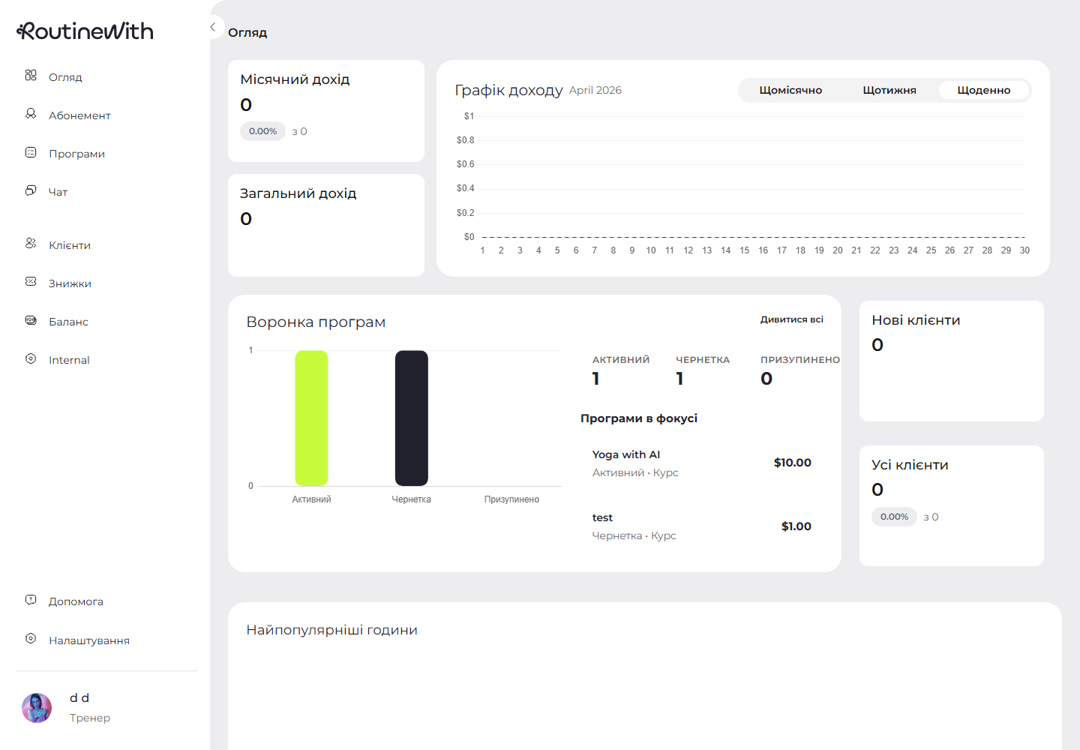
Overview Dashboard
- Income cards and monthly income chart
- Upcoming classes or program pipeline
- New and total client summaries
- Popular hours and client activity charts
Classes Scheduler
- Weekly calendar with day and hour grid
- Create class sidebar from any open slot
- Open class details, share links, postpone, cancel, or start a session
- Drag-and-drop class planning for trainers
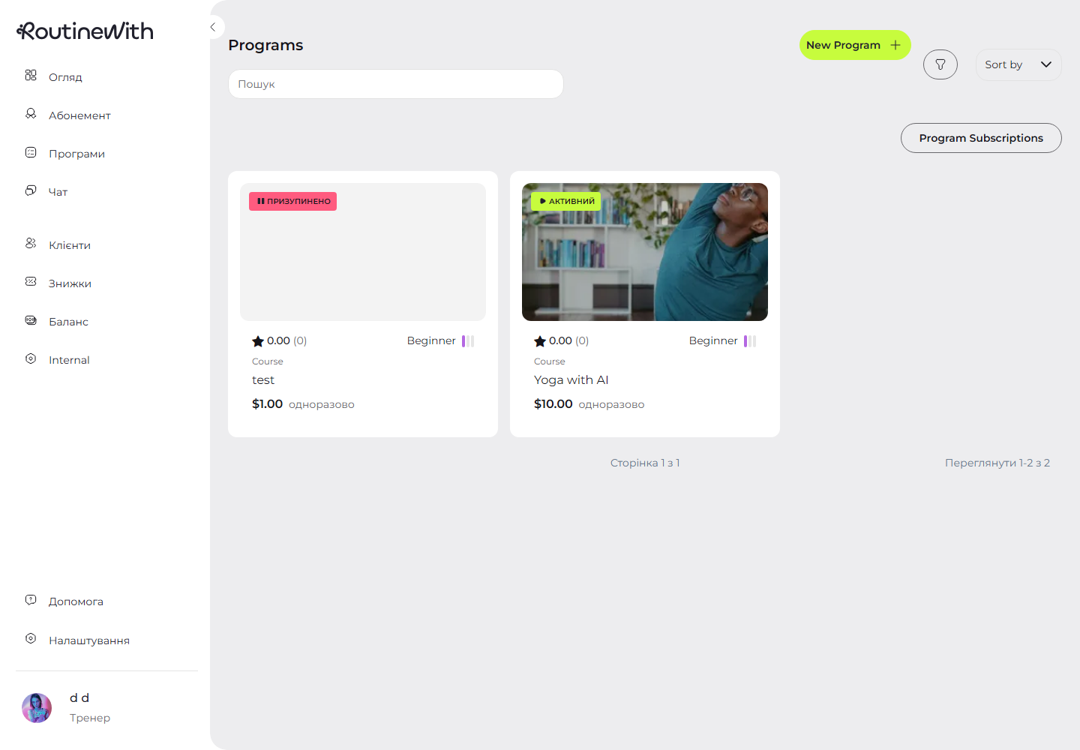
Programs and AI Training
- Program cards with search, sort, filters, status, type, and complexity
- Program detail pages with descriptions, reviews, and actions
- Video content management for program lessons
- AI setup, AI training, and client feedback reports
Memberships, Clients, and Payments
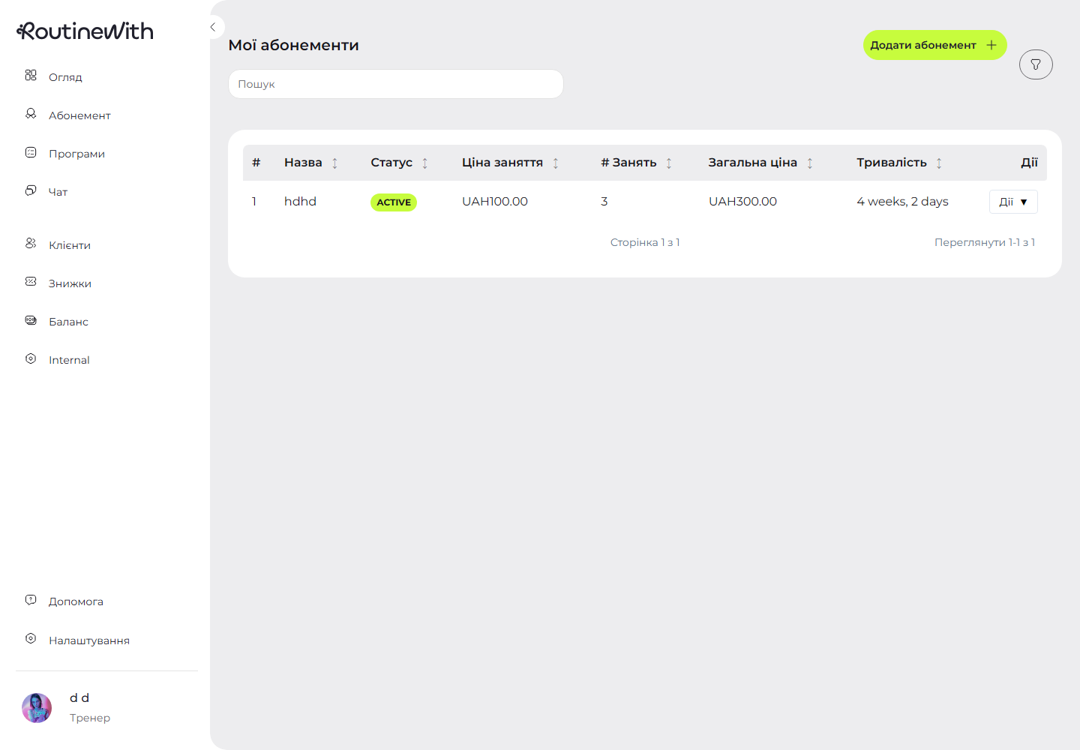
- Create and manage memberships with pricing, class count, and duration
- Client list with profile, phone, social media, city, and chat access
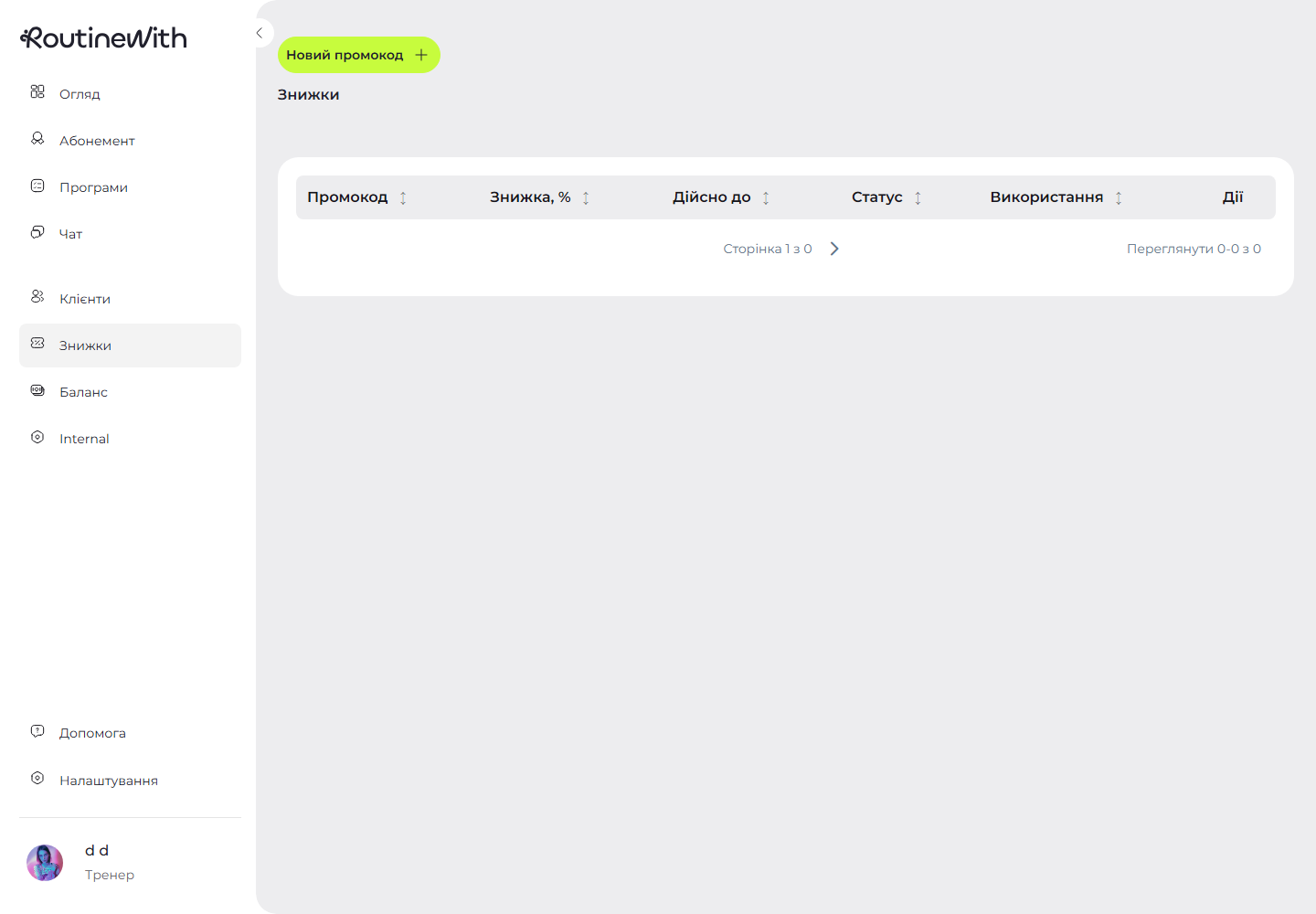
- Promo codes with usage, active status, valid-until dates, and purchase flow
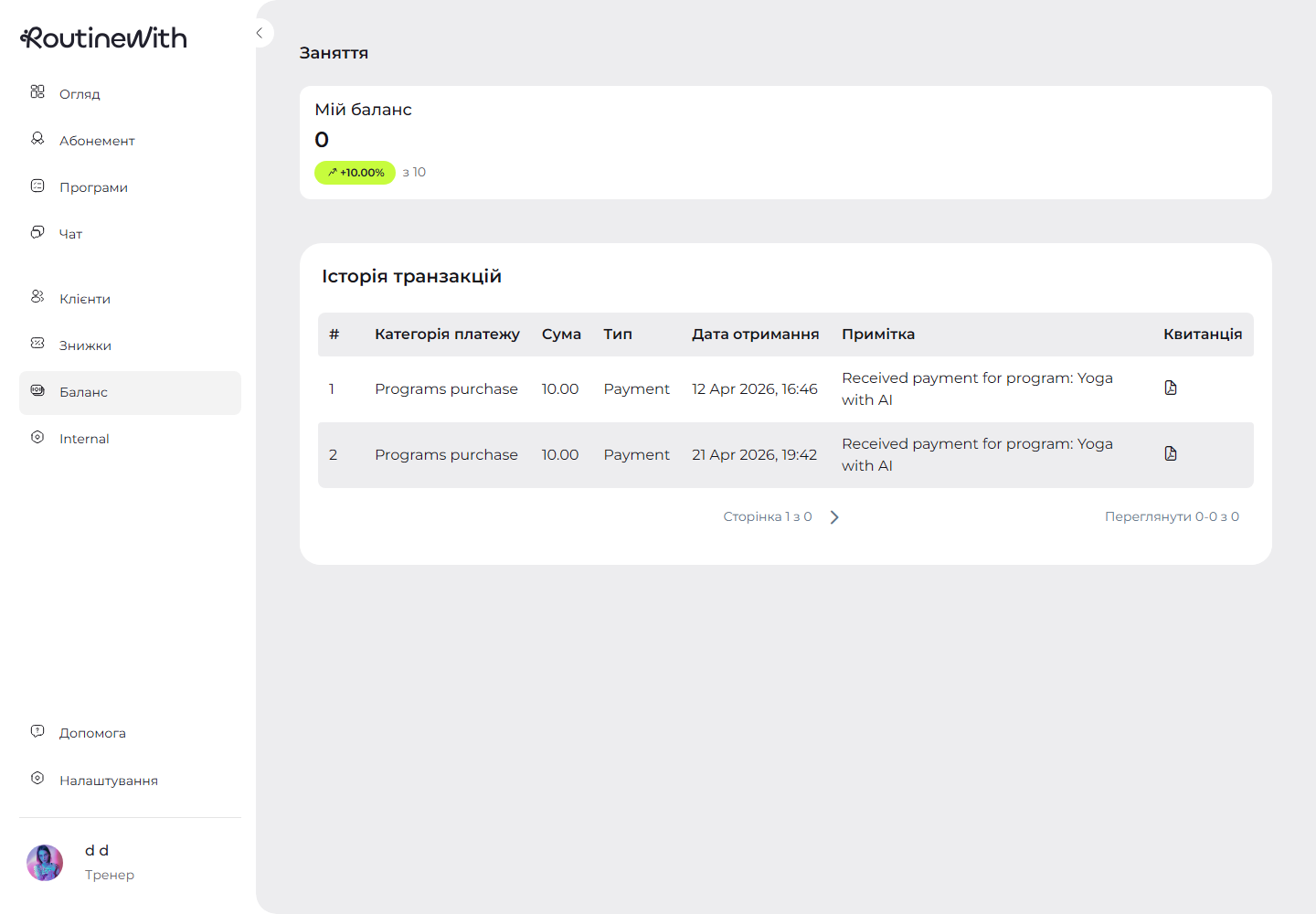
- Balance and transaction areas for payment visibility
WHY ROUTINEWITH
Not just a landing page concept

Real Trainer Workflow
The MVP follows the actual day-to-day flow: overview, classes, clients, programs, memberships, and payments.

Role-Based Product
Trainer and client routes show the right screens, actions, and payment options for each user.

AI-Ready Training
Program video analysis, online sessions, scores, and reports are already represented in the MVP structure.

Operational Controls
Search, sort, filters, status changes, invitations, promo codes, chat, and settings are built into the app screens.
ASK AND ANSWER
Frequently Asked Questions
What is RoutineWith?
RoutineWith is a web MVP for fitness trainers and clients. It includes an overview dashboard, class scheduling, programs, memberships, clients, discounts, balance, chat, reports, help, and settings.
Which MVP screens can I try?
The main product areas are Overview, Classes, Programs, Membership, Clients, Discounts, Balance, Chat, Help, Settings, and role-specific program and training report screens.
How does the Classes screen work?
The Classes screen uses a weekly scheduler. Trainers can create classes from time slots, open class details, share links, postpone or cancel sessions, and start online training.
What can trainers do with Programs?
Trainers can browse programs with search, sort, and filters, create new programs, manage program content, set program status, manage subscriptions, and use AI training setup for videos.
Does RoutineWith support memberships?
Yes. Trainers can create and manage memberships with price, number of classes, duration, and status. Clients can view and buy available memberships.
What client management tools are included?
The Clients screen includes search, filters, client status, phone, social media, city, invitations, profile navigation, and chat access when chat is enabled.
What payment and revenue tools are available?
The MVP includes balance and transaction areas, membership purchase flows, discount and promo code management, and overview cards for income and client metrics.
What AI features does the MVP represent?
AI-related flows are included in programs and sessions: video analysis setup, AI training, score displays, comments, and training feedback reports.
Is RoutineWith only for trainers?
No. The app has role-based screens for trainers and clients. Trainers manage business operations, while clients can access memberships, classes, programs, balance, and training feedback.
Is there a mobile app?
The current MVP is a responsive web app. Mobile-specific app releases can be planned separately from the web product.
Can I use RoutineWith with my existing online training tools?
The class flow supports online session links and live session screens. The product is designed to keep scheduling, attendance, and training context together.
How do I try the MVP?
Use the Open the MVP buttons on this page to launch the product and review the real screens.
Ready to Try RoutineWith?
Use the MVP to check how trainer and client screens handle scheduling, memberships, programs, payments, chat, and reports.